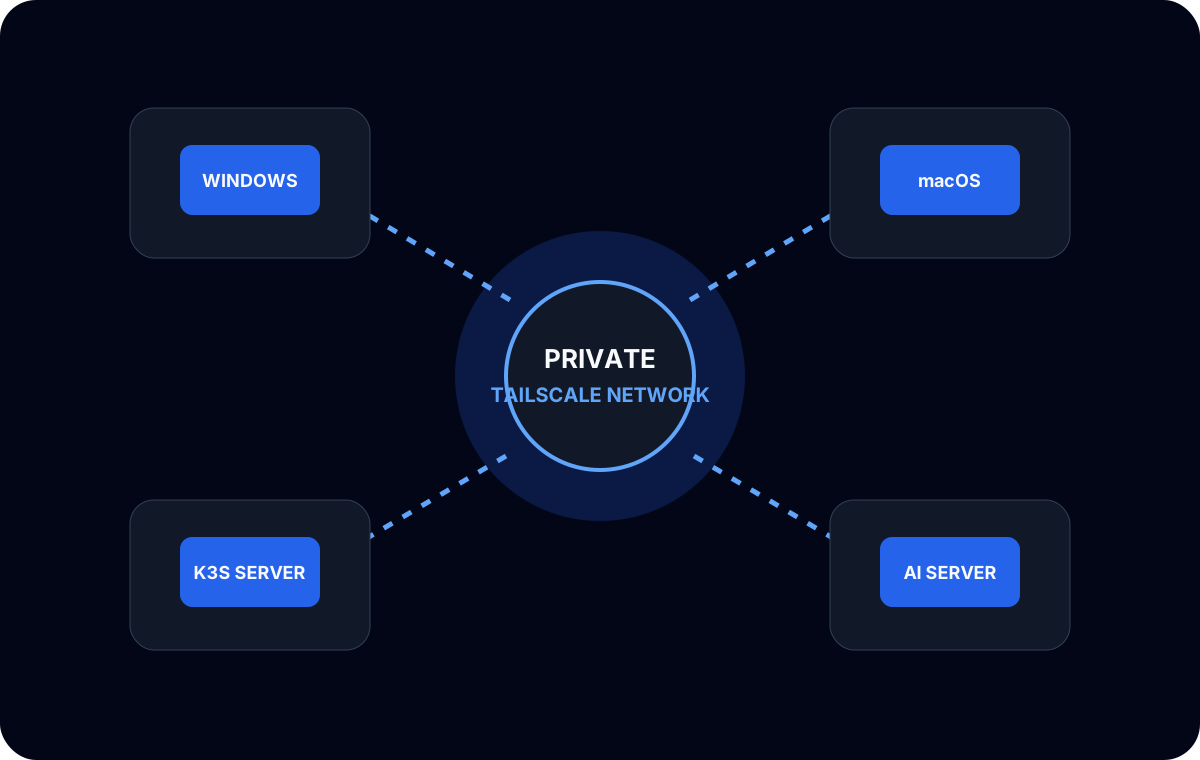
My private network started as a way to reach a local AI server from a Windows development machine. It grew to include macOS, Linux application infrastructure, K3s services, and Caddy routes. I introduced Headscale because I wanted to operate the coordination layer myself while continuing to use Tailscale-compatible clients on the devices.
This was not only a VPN installation. It was an exercise in making several independent environments behave like one controlled developer network.
What Headscale changed
Tailscale clients create encrypted device-to-device connectivity, while a coordination server helps devices discover one another and receive network policy. Headscale provides a self-hosted implementation of that control-plane role.
Running it myself changed the ownership boundary. Device registration, authentication keys, control-server availability, naming, and policy became infrastructure I had to understand. That was a useful trade for this lab, but it was still a trade. Self-hosting does not make the operational work disappear; it moves the work to me.
The data path and control path were also worth separating mentally. If a device had previously received the information needed to reach a peer, a control-server symptom and a peer-to-peer connectivity symptom could look different. I stopped treating “the private network” as a single black box.
Device enrollment without publishing credentials
I used authentication keys to enroll devices with the Headscale control server. The keys are credentials: they do not belong in shell history copied to documentation, screenshots, Git repositories, or article examples.
My workflow separated generating a key, transferring it through an appropriate channel, registering the device, and confirming that the device appeared with the intended identity. After enrollment, I verified connectivity from both directions rather than assuming that a successful registration meant every route was usable.
The same process applied across Windows, macOS, and Linux, but the host-level details differed. Service lifecycle, DNS behavior, firewall rules, and route selection can vary by operating system. The shared control plane does not eliminate those differences.
Private application and AI access
The network linked two main service paths.
The first path reached containerized applications running on K3s. Caddy provided a stable reverse-proxy layer, while the Tailnet kept the upstream service path private. That let development machines access applications without publishing every Kubernetes service publicly.
The second path reached the Mac mini running local LLM runtimes. Coding tools on Windows could use a private API endpoint while the inference machine remained dedicated to model workloads.
These paths shared connectivity, but they had different failure modes. An application request could involve Caddy, a Kubernetes Service, a pod, and the application process. An inference request could involve the model server, model load state, and a client-specific API format. The network was only one layer in each chain.
Troubleshooting asymmetric reachability
One real issue was asymmetric: one machine could operate Headscale, while another server initially could not reach a K3s node over the Tailnet. The temptation was to change several firewall and routing settings at once. That would have made the eventual fix hard to explain.
I broke the problem into checkpoints instead:
1. Control-plane state
Were both devices registered, online, and advertising the identities I expected? A stale or duplicate device entry can send troubleshooting in the wrong direction.
2. Direct peer reachability
Could each side reach the other’s Tailnet address? I tested both directions. A successful request from A to B does not prove that B can initiate a request to A.
3. Host routing
Which interface and route would the operating system select for the destination? A valid Tailnet route can still lose to an unexpected local route or conflict with another address range.
4. Host firewall and service binding
Was the target service listening on a reachable interface, and did the host firewall permit that traffic? A network overlay cannot make a loopback-only service remotely reachable.
5. Kubernetes boundary
Was I trying to reach the K3s node, a host port, a Kubernetes Service, or a pod address? These are different targets. Pod and Service networks are not automatically equivalent to the node’s Tailnet interface.
This layered approach revealed whether the failure was enrollment, routing, host policy, or Kubernetes exposure. It also avoided weakening the entire network just to make one test pass.
A private address is not a complete security policy. Reachability should be intentional at the device, host, proxy, and application layers.
What I would keep small
For a personal developer network, simpler is easier to operate. I kept the number of exposed services limited and used Caddy when a stable HTTP entry point was useful. I did not make Kubernetes pod ranges broadly routable merely for convenience, and I avoided copying authentication material into deployment configuration.
Headscale also needs the same basics as any other infrastructure service: persistent state, backups appropriate to that state, controlled upgrades, and logs that can be inspected without leaking enrollment secrets.
What I learned
Self-hosting Headscale gave me a consistent private path across Windows, macOS, Linux, K3s, and local AI infrastructure. More importantly, it forced me to understand where control-plane registration ends and host or application networking begins.
The asymmetric K3s reachability issue was the most valuable part of the work. The resolution came from narrowing the path layer by layer, not from making the network more permissive. That debugging habit now carries into Caddy, PostgreSQL, Kubernetes, and local model endpoints.