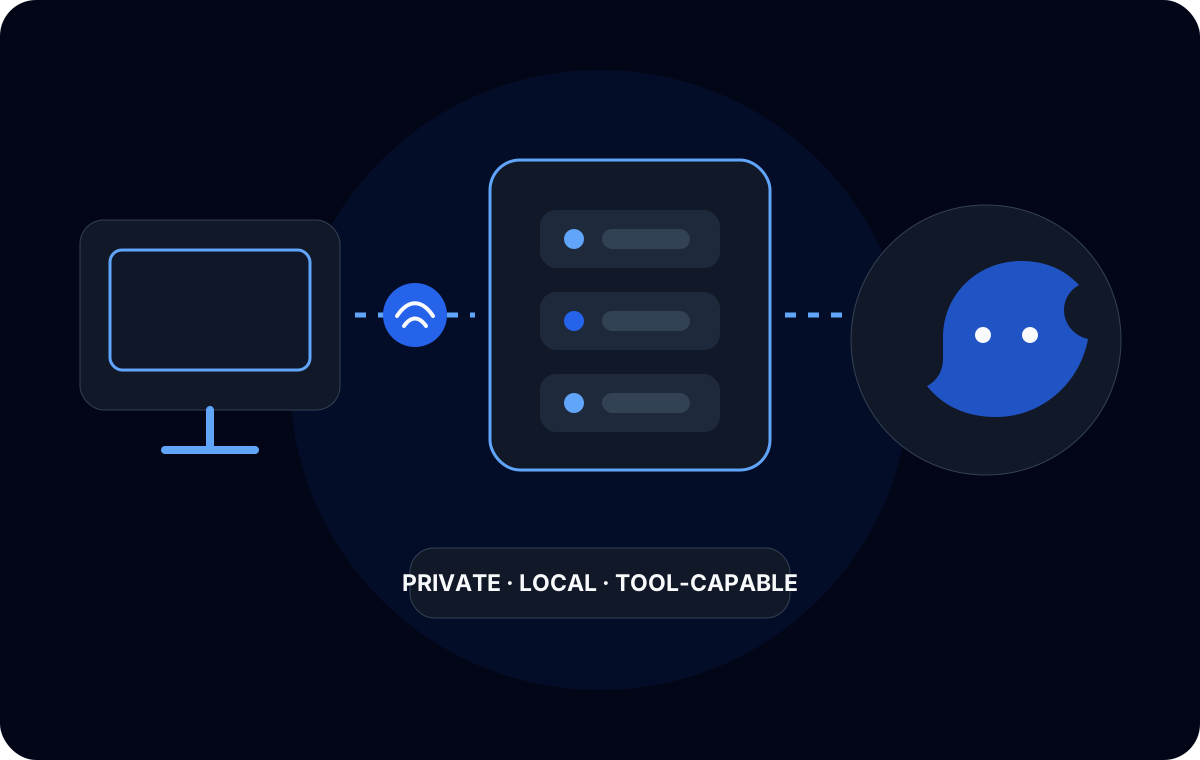
I wanted to find out how useful a base Mac mini M4 could be as a dedicated coding-model server. The machine has 16 GB of unified memory. My primary development environment is Windows, so the Mac did not need to be a desktop workstation at the same time; it could stay available for inference and serve models over a private network.
The result was not a benchmark project. I was more interested in a practical question: which combinations of model, quantization, runtime, and context remain usable inside a fixed memory budget? I experimented with models from the Qwen, Gemma, and DeepSeek families through Ollama, mlx-lm, and llama.cpp.
The constraint is the whole memory system
On Apple Silicon, CPU and GPU workloads draw from unified memory. That is convenient because model data does not need to be copied between separate system RAM and VRAM pools. It does not mean all 16 GB is available for model weights.
macOS, the inference runtime, model metadata, temporary buffers, and the key-value cache all need memory. Other processes still count. A model file fitting on disk—or even loading into memory—is therefore not proof that a real coding session will work.
I found it useful to think about the budget as several moving parts:
| Consumer | Why it matters |
|---|---|
| Model weights | Quantization changes their stored and in-memory size. |
| KV cache | Grows with the active context and depends on model architecture and cache precision. |
| Runtime buffers | Ollama, MLX, and llama.cpp do not package and execute models identically. |
| Operating system | macOS and background services need headroom. |
| Prompt processing | A long repository context can expose memory pressure that a short chat never reaches. |
This is why I avoid estimating fit from parameter count alone.
Why one 27B model can fit when another does not
A model’s parameter count is only one input. A heavily quantized 27B model can sometimes occupy less memory than expected, while another model with a similar headline size can fail during load or inference.
The difference can come from the weight quantization format, tensor layout, vocabulary and embedding sizes, attention architecture, mixture-of-experts design, runtime conversion, and how much context the server reserves. Two files carrying similar model names may also have different quantization types or packaging overhead.
Then there is the KV cache. It stores attention state for tokens already processed so the model does not recompute the entire sequence for every new token. Increasing the context window increases that cache. For coding agents, where prompts can contain system instructions, tool definitions, conversation history, and source files, the cache can be the difference between “loads successfully” and “fails halfway through a request.”
The useful test is not whether a model starts. It is whether it survives the prompt and context shape of the workflow I intend to run.
Three runtimes, three different levels of control
I started with Ollama because it offers the fastest path from a model package to a local API. Model lifecycle and remote serving are straightforward, and its OpenAI-compatible surface makes it easier to point existing coding tools at the Mac. That made it a useful baseline for checking whether a model was useful before spending time tuning a lower-level runtime.
I used MLX and mlx-lm for MLX-native models and more direct Apple-Silicon experimentation. Prompt processing and cache behavior become more visible here. The current mlx-lm implementation exposes prompt-cache and KV-cache controls, which matters when long coding prompts compete with model weights for the same unified-memory pool.
I used llama.cpp when GGUF availability and quantization choice were the priority. It supports Metal on Apple Silicon and exposes detailed runtime controls. That flexibility is useful, but it also means more decisions belong to the operator.
None of these runtimes makes an oversized configuration safe. They provide different ways to package, load, serve, and tune the same limited hardware.
The failure modes taught me more than startup messages
I encountered two distinct failure patterns.
The first was an immediate model-load failure. That usually meant the weights and required buffers could not be allocated with the machine in its current state. Closing unrelated applications might create a little room, but it did not turn an unrealistic configuration into a reliable server.
The second was more deceptive: the model loaded, accepted a request, and then failed during prompt processing or generation. This pointed to memory that grows after load—especially context and cache—or to runtime-specific allocation behavior. A short “hello” prompt was not a sufficient test for a coding model.
My testing loop became deliberately conservative:
- Start with a quantization that leaves visible operating-system headroom.
- Use a modest context rather than advertising the model’s maximum.
- Test a repository-shaped prompt, not only a short conversation.
- Repeat the request to observe prompt-cache behavior and recovery after failures.
- Change one variable at a time: model, quantization, runtime, or context.
That process made failures explainable. Changing everything together only produced a different result without showing why.
Quality versus usable memory
Aggressive quantization reduces weight memory, but it is not free. It can affect model quality, and the effect is not identical for every model or task. Coding also demands enough context to see the relevant files and enough output room to produce a useful change.
For this machine, I treated context as a capacity setting, not a marketing number. A smaller model with a healthy context and stable tool use can be more useful than a larger model that leaves no room for a real request. Likewise, a larger quantized model may be worthwhile for focused prompts but unsuitable for an agent that continually accumulates tool results.
Prompt caching also changes the experience. Reusing a stable prefix can avoid repeating some prompt work, but the cache itself consumes memory. Cache configuration therefore belongs in the capacity plan rather than being treated only as a speed optimization.
Serving the development workstation
Once a configuration was stable locally, I exposed the API only across the private Tailscale network. The Windows workstation could then use VS Code extensions, OpenCode, Continue, or other coding clients while the Mac remained dedicated to inference.
The endpoint shape mattered almost as much as raw inference. An OpenAI-compatible API reduced client-specific integration work, although “compatible” does not guarantee that every client feature or tool-calling format behaves identically. I validated each tool with the model and runtime combination I intended to use.
No model port needed to be public. Network access, model access, and client configuration remained separate concerns.
What I learned
The 16 GB Mac mini is useful when treated as a constrained server, not as a machine that should run every model carrying a coding label. Reliable configurations came from budgeting the complete inference workload: weights, cache, context, runtime, and operating-system headroom.
The main lesson was to test the actual workflow. Model families and parameter counts help narrow a search, but they do not replace load-and-inference testing. A model that fits only under an empty prompt is not a working coding service.
For this environment, the best setup is the one that stays loaded, accepts realistic repository context, and remains reachable by development tools over the private network. That is a systems outcome, not a benchmark score.