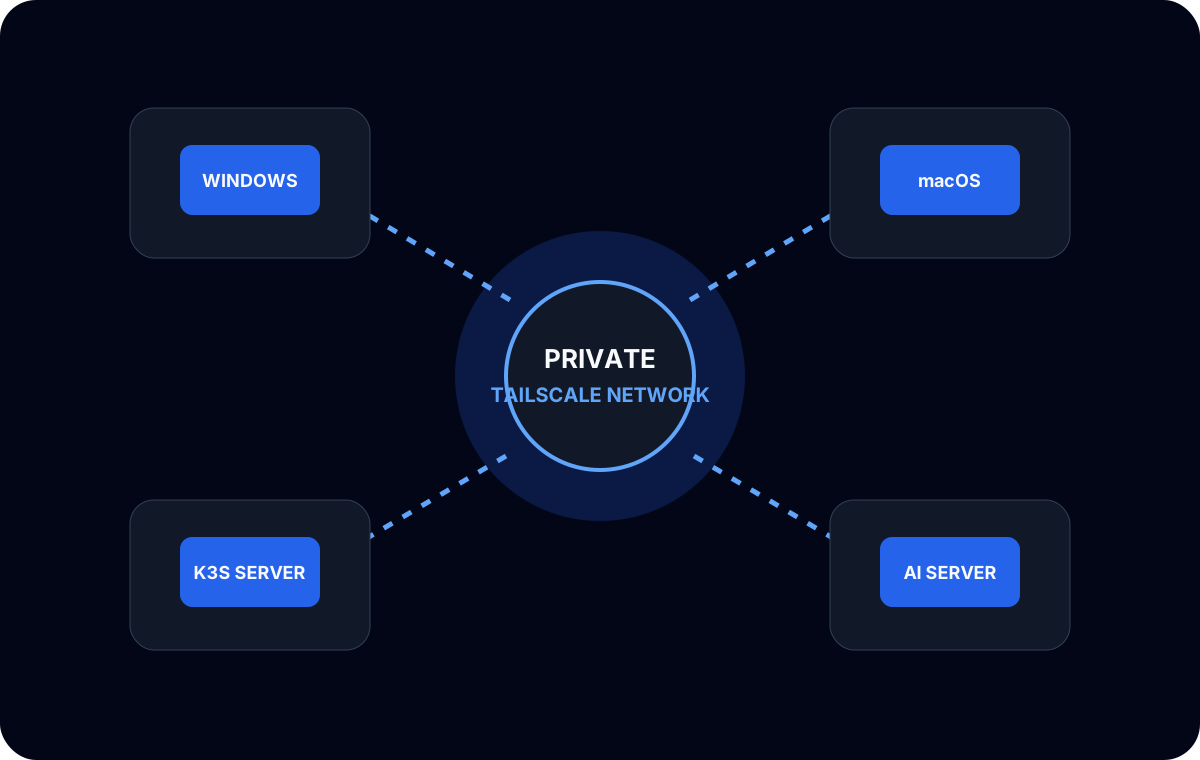
My development workstation and inference machine have different jobs. I write, inspect, and run application code on Windows. A Mac mini M4 stays available as a local LLM server. Tailscale connects them without making the model API a public internet service.
Separating the machines initially looked like extra networking work. In practice, it produced a cleaner system: the Mac can dedicate its unified memory to inference, while the workstation keeps the editor, containers, browsers, and other development processes.
Why inference did not need to run on the development machine
Local AI tools often assume that “local” means the model and editor share one computer. That is convenient, but it also makes them compete for memory and compute. On a coding workstation, a model can interfere with builds and containers. On a 16 GB Mac, running a full development desktop alongside the model reduces already limited inference headroom.
An HTTP API removes that coupling. The editor needs a reachable endpoint and a compatible request format; it does not need the model weights on the same filesystem. That makes the inference host another private infrastructure service.
This model also simplified experiments. I could change the runtime on the Mac—from Ollama to MLX or llama.cpp—without moving the development environment. As long as the client-facing interface remained compatible, the workstation did not need to know how the model was executed.
The private-network boundary
I used Tailscale to give the workstation and Mac a private route to one another. The LLM service listened on an interface reachable through that network, and the coding client used the private endpoint as its base URL.
The important security decision was what I did not do: I did not publish the model port on a public address. A development API can reveal prompts, code fragments, model names, and tool definitions. Some local servers also assume that network access has already been controlled and provide little application-level authentication.
For this environment, the Tailnet was the access boundary. That still required care:
- only enrolled devices should reach the service;
- the inference process should bind only where intended;
- host firewalls and Tailnet policy should agree;
- logs should not print secrets from editor configuration;
- remote clients should use a dedicated, sanitized configuration.
Private networking reduces exposure. It does not remove the need to review what a service accepts and records.
Connecting coding tools from Windows
Different tools call model APIs in different ways. VS Code extensions, Continue, OpenCode, and agent-style clients may expect an OpenAI-compatible base URL, a native Ollama endpoint, or their own provider configuration.
I validated one client at a time. First I confirmed basic network reachability. Then I called the model endpoint directly. Only after that worked did I add the editor or agent. This separated network problems from API-format problems and model capability problems.
That distinction matters for tool calling. A server can answer chat requests correctly while a coding agent fails because the selected model does not emit the tool-call format the client expects. Treating every failure as “Tailscale is broken” wastes time.
My diagnostic layers were:
- Can the Windows host reach the Mac over the private network?
- Is the model server listening on the expected interface and port?
- Does a basic API request return a response?
- Does the client use the correct endpoint type?
- Does the model support the client’s tool workflow?
No private addresses, authentication keys, or internal hostnames belong in the article or repository. The topology is the useful part.
Keeping the Mac available as a server
A dedicated inference machine needs predictable lifecycle behavior. I treated model-service startup, sleep behavior, runtime logs, and model memory as operational concerns rather than desktop preferences.
I also avoided loading multiple large models by default. A server that technically exposes several models can still become unreliable if their combined residency competes for the same 16 GB pool. The useful state was a known model and context configuration, with deliberate changes when I wanted to experiment.
When a client timed out, I checked the server before changing editor settings. The model could still be loading, processing a large prompt, or recovering from memory pressure. Remote inference adds a network hop, but not every delay is a network delay.
Moving toward Headscale
Tailscale clients provided the data-plane connectivity I needed. I later introduced self-hosted Headscale as the control server for the private developer network. That expanded the experiment from “connect two machines” to operating registration and coordination for workstations, K3s infrastructure, application servers, and the AI host.
The local LLM architecture did not need to change. The Mac and Windows machine still communicated over the private network. What changed was control-plane ownership and the troubleshooting responsibility that came with it.
What I learned
The most useful design decision was treating local inference as a private service. It gave the model a dedicated memory budget, kept the Windows workflow unchanged, and made runtime experiments independent of the editor.
The network should remain boring: private reachability, narrow exposure, and a clear diagnostic path. The interesting AI work happens above that layer, but it is only dependable when the infrastructure below it is understandable.