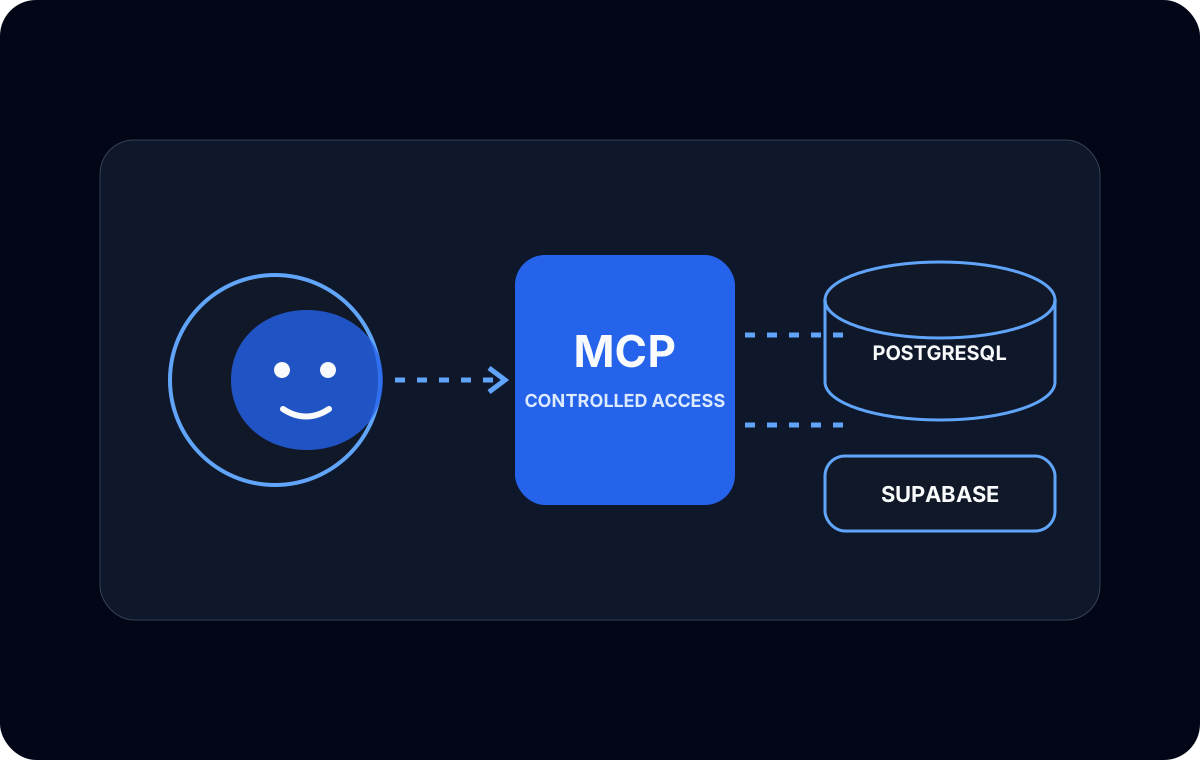
Connecting an AI coding agent to PostgreSQL through the Model Context Protocol was technically straightforward compared with deciding what the agent should be allowed to do.
The useful question was not “can the agent reach the database?” It was: what permissions should an AI coding agent actually have? A tool that can generate and execute queries operates with the privileges of its database role. Prompt mistakes, misunderstood schemas, or unsafe generated SQL can therefore become real database changes.
MCP is a transport, not a permission system
MCP gives a client a structured way to discover and call tools exposed by a server. A PostgreSQL MCP server can offer operations for inspecting schemas or executing queries. The exact tool surface depends on the server implementation.
MCP does not replace PostgreSQL authorization. Once the server connects, PostgreSQL evaluates the configured role exactly as it would for any other client. If that role is a superuser, the AI tool effectively has superuser reach.
I treated the MCP server as another application integration:
- its process received configuration through environment variables;
- its network path was limited to the required database endpoint;
- its PostgreSQL role was dedicated to AI development work;
- its capabilities were tested outside any protected or employer system;
- logs and client configuration were reviewed for credential leakage.
Five roles with different purposes
It helped to distinguish roles that are often collapsed into one account.
| Role type | Intended capability |
|---|---|
| Read-only | Inspect approved schemas and query approved data. |
| Application runtime | Perform the application’s normal reads and writes. |
| Migration role | Create or change application-owned database objects during controlled migrations. |
| AI development role | Perform the explicitly approved subset of inspection or development tasks. |
| PostgreSQL superuser | Bypass normal permission checks and administer the cluster. |
The AI role did not automatically inherit the application, migration, or administrator role. Its grants were chosen from the task it needed to perform.
For schema exploration, that might mean database CONNECT, schema USAGE, and SELECT on specific tables. If the experiment required creating objects in a sandbox schema, the role could receive CREATE on that schema without receiving broad rights elsewhere.
ALTER deserves special attention. PostgreSQL object alteration is generally tied to object ownership or role membership, not a simple universal ALTER grant. If an agent truly needs migration capability, using a controlled migration owner or separate workflow is clearer than quietly making the general AI role own every table.
Least privilege must include future objects
Table grants only describe existing objects unless default privileges are configured for objects created later. That can produce inconsistent behavior: the agent can read old tables but not a new one, or a broad workaround grants more than intended.
I kept future-object policy explicit. If the AI role should inspect new tables in a sandbox, the object-creating role can define matching default privileges for that schema. If not, new objects remain inaccessible until reviewed.
This is also why role ownership matters. Default privileges are associated with the role that creates objects, so configuring them under the wrong administrator account may not affect application migrations.
Separate read, write, and migration experiments
I did not begin by allowing DDL. The first useful connection was read-only schema and data inspection. That validated MCP startup, the network path, the database role, and tool behavior with limited consequences.
Write experiments used disposable or development data. Migration experiments belonged in a controlled schema with an explicit review step. The agent could propose SQL without necessarily executing it through the same role.
This created a practical escalation path:
- inspect metadata;
- run approved read queries;
- write only in a sandbox if required;
- generate migration SQL for review;
- apply migrations through the established migration identity.
The steps are not only about mistrusting a model. They provide a clear audit boundary for any automated developer tool.
Debugging MCP startup and handshake errors
Several failures occurred before PostgreSQL permissions were even evaluated. An MCP client may report a generic initialization or handshake error when the server process cannot start, writes unexpected output to its protocol stream, lacks an environment variable, or cannot reach the database.
I debugged the chain in layers:
Process startup
Could the configured executable start in the same environment as the editor or agent? A command that worked in an interactive shell could still fail when the GUI inherited a different path or working directory.
Protocol channel
For a stdio-based MCP server, diagnostic output on the protocol stream can corrupt initialization. Logs need to use the channel expected by that server and client combination.
Environment
Were all required variables present without printing their values? I checked variable names and process inheritance, not secrets in screenshots or terminal output.
Database connection
Could the MCP server host resolve and reach PostgreSQL, negotiate SSL as configured, and authenticate as the dedicated role?
Tool authorization
Only after initialization succeeded did I test whether the database role could perform the intended query. A PostgreSQL permission error at this stage was useful evidence, not an MCP handshake failure.
Why superuser was the wrong shortcut
Superuser access would have hidden missing grants and ownership mistakes. It would also allow the tool to bypass the boundaries the experiment was supposed to evaluate.
The dedicated role made failures specific. A denied schema showed that USAGE was missing. A denied table identified an object grant. A denied alteration exposed an ownership decision. Those errors helped design the permission model.
What I learned
MCP made database tools available to the agent, but PostgreSQL roles made them safe enough to experiment with. The security boundary remained the database’s own authorization system, supported by network controls and careful configuration handling.
The best default for an AI coding agent is not “whatever my developer account can do.” It is a role designed for the exact activity: read, sandbox write, or reviewed migration. Keeping those modes separate turned the experiment into DevSecOps work rather than a database demo.