I needed a repeatable way to deploy a containerized Next.js application to a self-managed K3s server. The obvious workflow—build an image, push it to a registry, and let Kubernetes pull it—was constrained by the available container-registry plan.
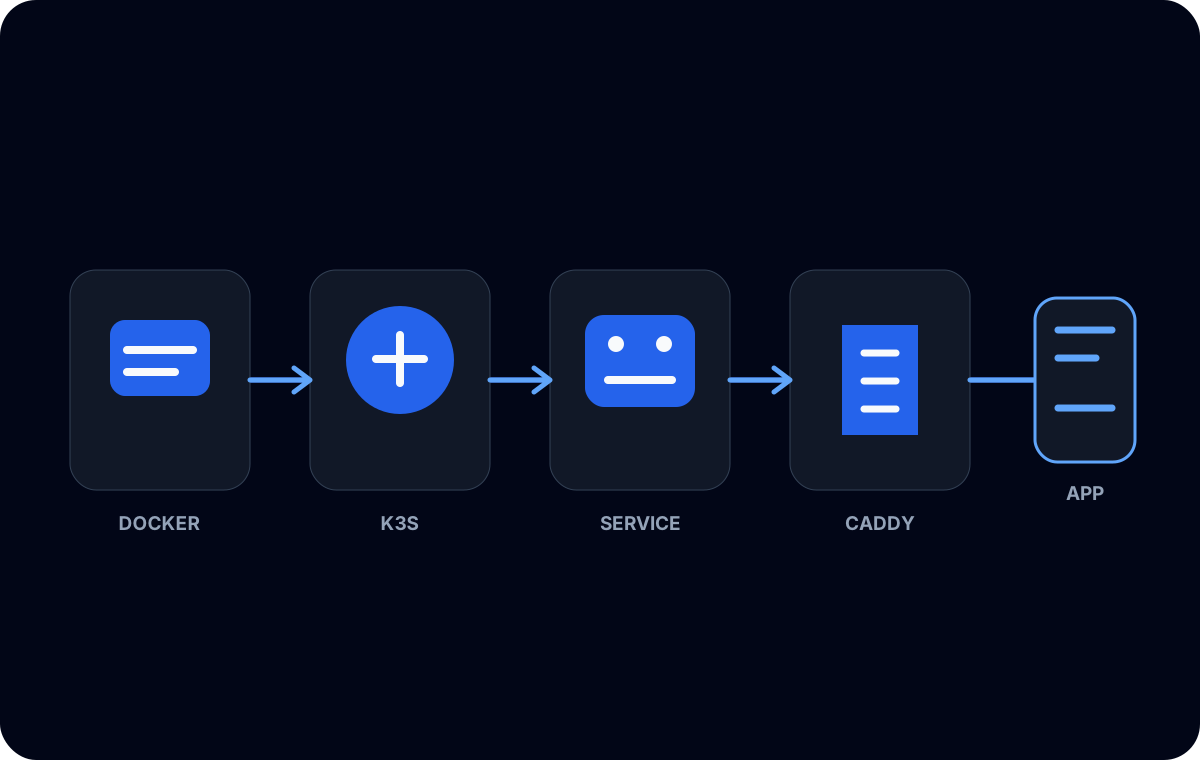
For this small environment, I chose a direct workflow: build on the server, export the image from Docker, import it into K3s’s containerd image store, then update the Kubernetes Deployment.
This is deliberately not presented as the deployment architecture for a large organization. It is a practical bridge for a small, self-managed node.
The image existed, but K3s could not see it
The first important detail was that Docker and K3s did not share an image store. A successful docker build put the image in Docker’s local storage. K3s used containerd, so the kubelet could not automatically use that Docker image.
That separation explains a common confusing sequence:
docker imagesshows the new tag.- The Kubernetes manifest references the same tag.
- The pod reports an image pull or availability problem.
The tag text matches, but the image lives in the wrong runtime store.
The deployment path
The core build and transfer steps were small enough to automate with Bash. The names below are generic; a real script should derive a unique tag from a controlled build identifier and stop on the first failure.
set -euo pipefail

IMAGE="local/nextjs-app:build-YYYYMMDD-HHMM"
ARCHIVE="nextjs-app.tar"

docker build --tag "$IMAGE" .
docker save --output "$ARCHIVE" "$IMAGE"
sudo k3s ctr images import "$ARCHIVE"
docker save produces an OCI-compatible archive containing the tagged image. Importing that archive makes the image available to the containerd instance used by K3s. On a multi-node cluster, the image must be available on every node that may schedule the workload, or the scheduling scope must be intentionally constrained.
After import, I updated the Deployment to use the unique tag and watched the rollout:
kubectl set image deployment/nextjs-app \
  nextjs-app="local/nextjs-app:build-YYYYMMDD-HHMM"

kubectl rollout status deployment/nextjs-app
kubectl get pods
The placeholder names make the shape clear without claiming an exact private deployment command.
Image pull behavior matters
Kubernetes still applies image-pull rules even when an image has been imported locally. For a local-only tag, the pod specification must not insist on pulling from a registry that does not contain it.
A small self-managed setup can use a unique tag with imagePullPolicy: IfNotPresent:
containers:
  - name: nextjs-app
    image: local/nextjs-app:build-YYYYMMDD-HHMM
    imagePullPolicy: IfNotPresent
I avoided reusing latest. A unique tag makes the desired image explicit and gives the Deployment template a meaningful change. It also makes rollback reasoning easier because an older tag can remain identifiable.
Never is another possible policy for strictly local images, but it makes the pod fail immediately on any node missing the image. The correct choice depends on how the nodes receive images. The main rule is that the pull policy and distribution method must agree.
Rolling out without guessing
Importing an image does not update a running pod. Kubernetes reacts to a change in the Deployment’s pod template. Setting a new image tag creates a new ReplicaSet and starts the rolling-update process defined by the Deployment strategy.
I watched kubectl rollout status rather than assuming that an accepted command meant the application was healthy. If the rollout stalled, the next checks were pod events, container logs, readiness behavior, and the image present in K3s’s store.
A manual rollout restart can recreate pods without changing the tag. That is useful in some operations, but with locally imported images it can hide which build is running. I preferred a unique tag for each build and treated a restart as a separate action.
Bash automation and failure boundaries
The deployment script eventually coordinated:
- updating the application checkout;
- building the production image;
- exporting and importing it;
- applying or updating Kubernetes configuration;
- waiting for rollout completion;
- retaining enough information to identify the deployed tag.
The script did not contain application secrets. Runtime settings belonged in Kubernetes configuration and Secrets, not in the image archive or shell output. I also avoided printing environment values during debugging.
set -euo pipefail helped stop obvious partial runs, but it was not a transaction. If an image imported successfully and the rollout failed, the previous Deployment still needed to remain available for rollback. That is another reason unique, immutable tags were important.
Where this approach stops scaling
Direct import has clear limitations.
Every schedulable node needs the image. Image distribution becomes manual as the cluster grows. Build provenance and vulnerability scanning are not automatically provided. Old images consume node storage until cleaned up. The deployment server must also have enough CPU, memory, and disk to build the application without affecting workloads.
For more nodes or more frequent deployments, a private registry, K3s’s registry capabilities, or a CI system that publishes signed artifacts would provide a better boundary. K3s also supports pre-import and embedded registry-mirror patterns, but those are separate designs that should be selected deliberately.
What I learned
The workflow succeeded because it respected the runtime boundary. Docker built the image; containerd ran it; Kubernetes rolled out a specific tag. Treating those as one invisible “container system” was the source of the initial confusion.
For a small single-node or tightly controlled K3s environment, exporting and importing images can be a reasonable solution. Its value is simplicity, as long as its node-distribution, storage, security, and rollback limits remain visible.